Original: $296.10
-65%$296.10
$103.64The Story
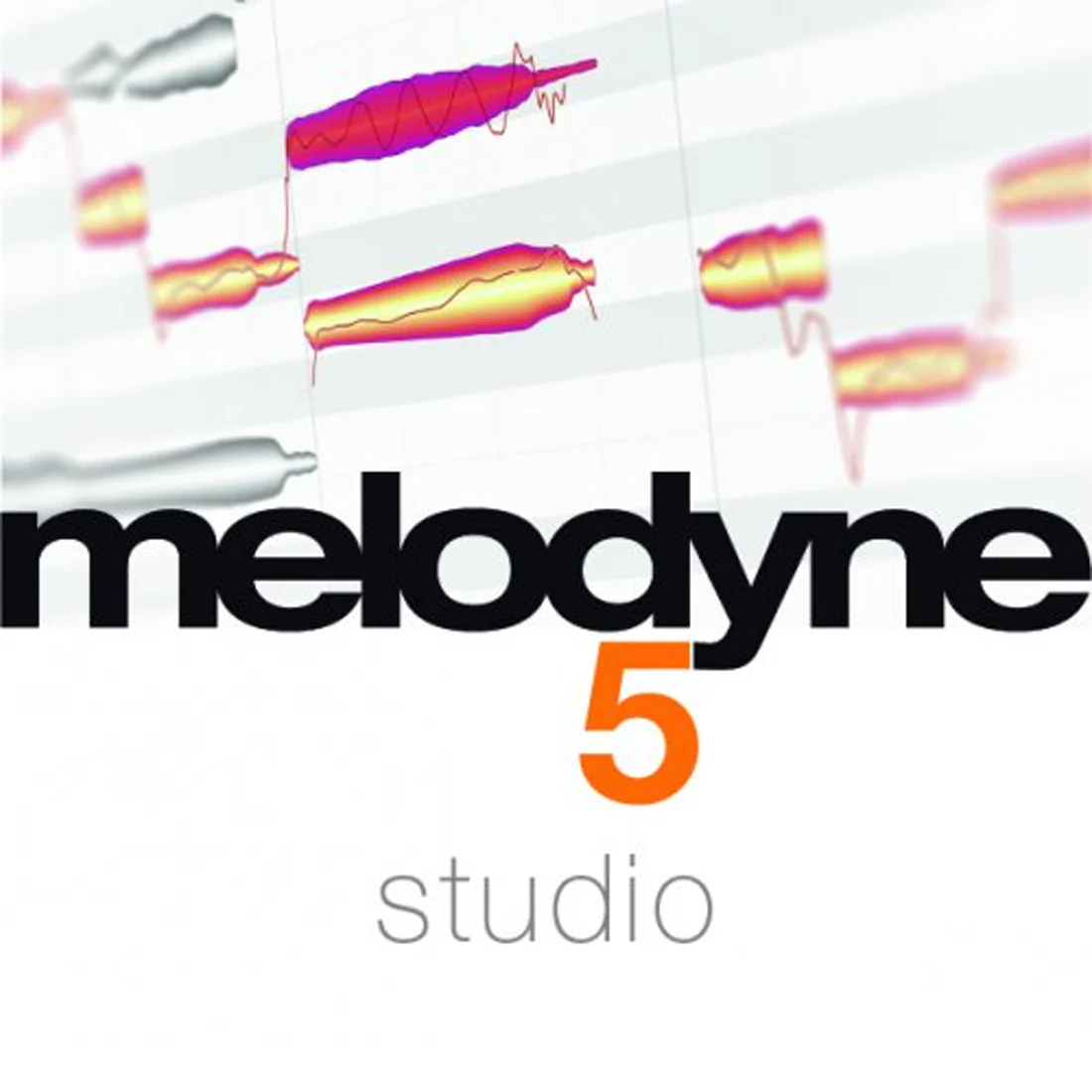
Melodyne 5 Studio Upgrade from Editor | Professional Audio Editing Software with Multitrack Note Editing
Melodyne 5 Studio Upgrade from Editor gives existing Melodyne Editor users access to the complete Melodyne toolkit for professional audio editing. Instead of working only with waveforms, you can edit recordings note by note, making it easier to refine vocals, instruments, samples, timing, dynamics, and tone color with a more musical workflow.
Professional Note-Based Audio Editing
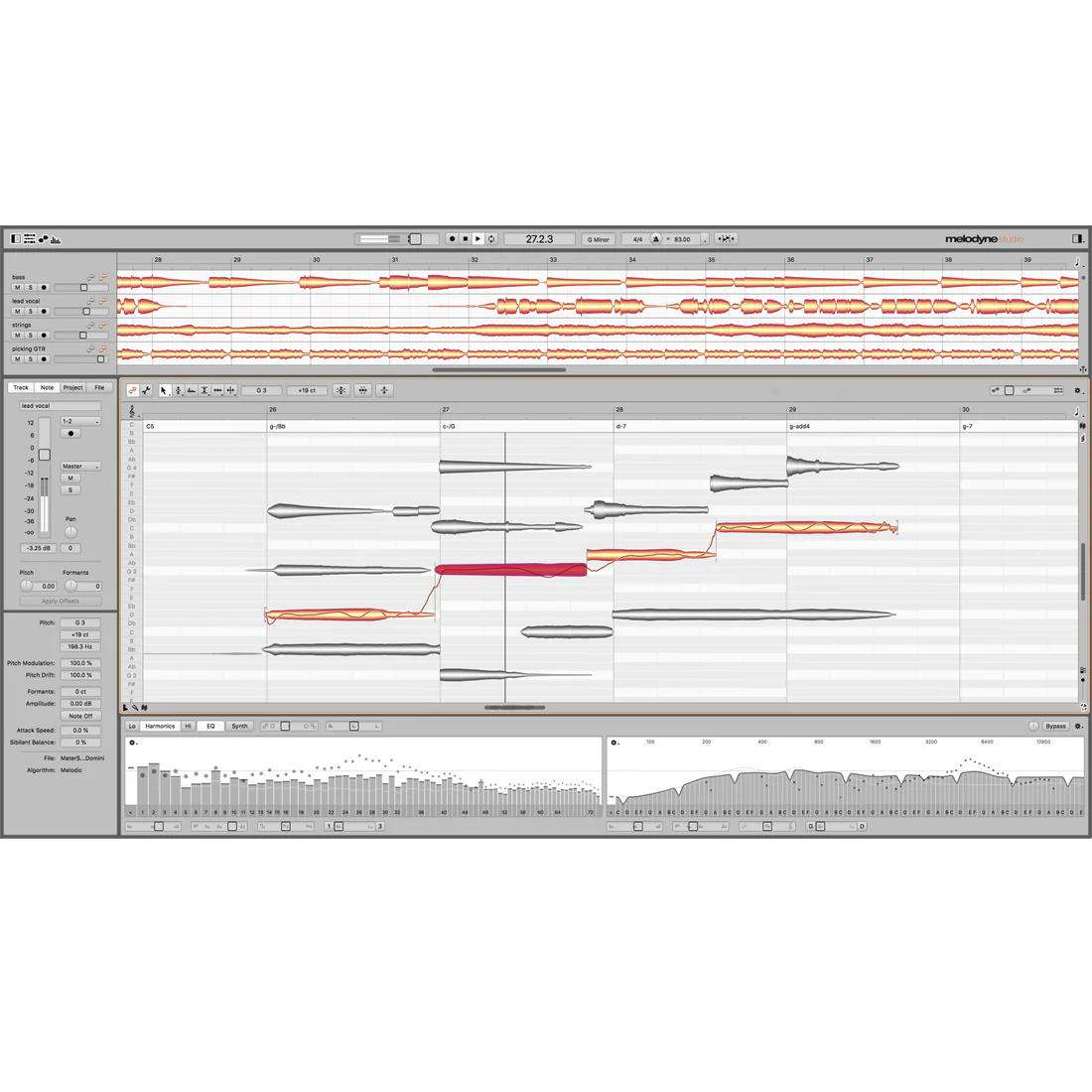
Melodyne lets you see notes inside your recordings and samples, then adjust them with detailed control. You can modify pitch, vibrato, volume, sibilants, length, timing, and formants while keeping the performance natural. Why guess inside a waveform when you can work directly with the notes?
Key Features
- Upgrade from Melodyne Editor to Melodyne Studio.
- Multitrack Note Editing for editing multiple tracks in one window.
- DNA Direct Note Access for polyphonic instruments like piano and guitar.
- Sound Editor with unique control over tone colors.
- Macros for intonation, timing quantization, and leveling across tracks.
- Chord Track and Chord Grid with automatic chord recognition.
- Tempo detection and editing for adapting recordings and samples.
- Polyphonic audio-to-MIDI export.
- VST 3, AU, AAX, stand-alone, and ARA integration support.
- Compatible with macOS and Windows 64-bit systems.
Multitrack Note Editing for Bigger Sessions
One of the biggest advantages of Melodyne 5 Studio Upgrade from Editor is its multitrack workflow. You can display multiple tracks in a single Melodyne window and edit notes across them at the same time. For backing vocals, choirs, layered harmonies, or detailed instrument parts, this feels like placing the whole arrangement on one clear workspace.
Advanced Editing for Vocals and Instruments
Melodyne Studio is designed for professional vocal editing, choirs, instruments of all kinds, and samples. You can improve intonation, phrasing, dynamics, timing, and note length by hand or with intelligent macros. Additionally, polyphonic editing lets you work with instruments such as piano and guitar note by note.
Creative Sound Design with the Sound Editor
Beyond correction, Melodyne 5 Studio Upgrade from Editor gives you access to the Sound Editor. Since Melodyne understands the overtone structure of every note, you can shape tone color with musical detail. Think of it like an equalizer that reaches deeper into the character of each sound, not just the surface.
Flexible Studio Compatibility
Melodyne Studio works as a stand-alone program or as a plug-in in your DAW. It supports VST 3, AU, AAX, and ARA integration depending on your DAW. As a result, it fits smoothly into different production setups on macOS and Windows.
A Complete Upgrade for Professional Audio Work
Melodyne 5 Studio Upgrade from Editor is built for users who need more than single-track correction. With multitrack editing, track-transcending macros, tempo tools, chord recognition, DNA Direct Note Access, and advanced sound shaping, it gives you a complete environment for correcting, adapting, and creatively reshaping audio.
FAQs
Can I upgrade if I already own Melodyne Editor?
Yes. This version is specifically for existing owners of Melodyne Editor who want to upgrade to Melodyne Studio.
What is Multitrack Note Editing?
It lets you display and edit notes from multiple tracks in a single Melodyne window.
Can Melodyne Studio edit piano and guitar recordings?
Yes. Melodyne Studio supports polyphonic editing for instruments such as piano and guitar.
What formats does Melodyne Studio support?
It supports VST 3, AU, AAX, stand-alone operation, and ARA integration depending on the DAW.
Does Melodyne Studio work on macOS and Windows?
Yes. Melodyne Studio is compatible with macOS and Windows 64-bit systems.
Details & Craftsmanship
Every detail has been carefully considered to bring you the perfect product.
Description
Melodyne 5 Studio Upgrade from Editor | Professional Audio Editing Software with Multitrack Note Editing
Melodyne 5 Studio Upgrade from Editor gives existing Melodyne Editor users access to the complete Melodyne toolkit for professional audio editing. Instead of working only with waveforms, you can edit recordings note by note, making it easier to refine vocals, instruments, samples, timing, dynamics, and tone color with a more musical workflow.
Professional Note-Based Audio Editing
Melodyne lets you see notes inside your recordings and samples, then adjust them with detailed control. You can modify pitch, vibrato, volume, sibilants, length, timing, and formants while keeping the performance natural. Why guess inside a waveform when you can work directly with the notes?
Key Features
- Upgrade from Melodyne Editor to Melodyne Studio.
- Multitrack Note Editing for editing multiple tracks in one window.
- DNA Direct Note Access for polyphonic instruments like piano and guitar.
- Sound Editor with unique control over tone colors.
- Macros for intonation, timing quantization, and leveling across tracks.
- Chord Track and Chord Grid with automatic chord recognition.
- Tempo detection and editing for adapting recordings and samples.
- Polyphonic audio-to-MIDI export.
- VST 3, AU, AAX, stand-alone, and ARA integration support.
- Compatible with macOS and Windows 64-bit systems.
Multitrack Note Editing for Bigger Sessions
One of the biggest advantages of Melodyne 5 Studio Upgrade from Editor is its multitrack workflow. You can display multiple tracks in a single Melodyne window and edit notes across them at the same time. For backing vocals, choirs, layered harmonies, or detailed instrument parts, this feels like placing the whole arrangement on one clear workspace.
Advanced Editing for Vocals and Instruments
Melodyne Studio is designed for professional vocal editing, choirs, instruments of all kinds, and samples. You can improve intonation, phrasing, dynamics, timing, and note length by hand or with intelligent macros. Additionally, polyphonic editing lets you work with instruments such as piano and guitar note by note.
Creative Sound Design with the Sound Editor
Beyond correction, Melodyne 5 Studio Upgrade from Editor gives you access to the Sound Editor. Since Melodyne understands the overtone structure of every note, you can shape tone color with musical detail. Think of it like an equalizer that reaches deeper into the character of each sound, not just the surface.
Flexible Studio Compatibility
Melodyne Studio works as a stand-alone program or as a plug-in in your DAW. It supports VST 3, AU, AAX, and ARA integration depending on your DAW. As a result, it fits smoothly into different production setups on macOS and Windows.
A Complete Upgrade for Professional Audio Work
Melodyne 5 Studio Upgrade from Editor is built for users who need more than single-track correction. With multitrack editing, track-transcending macros, tempo tools, chord recognition, DNA Direct Note Access, and advanced sound shaping, it gives you a complete environment for correcting, adapting, and creatively reshaping audio.
FAQs
Can I upgrade if I already own Melodyne Editor?
Yes. This version is specifically for existing owners of Melodyne Editor who want to upgrade to Melodyne Studio.
What is Multitrack Note Editing?
It lets you display and edit notes from multiple tracks in a single Melodyne window.
Can Melodyne Studio edit piano and guitar recordings?
Yes. Melodyne Studio supports polyphonic editing for instruments such as piano and guitar.
What formats does Melodyne Studio support?
It supports VST 3, AU, AAX, stand-alone operation, and ARA integration depending on the DAW.
Does Melodyne Studio work on macOS and Windows?
Yes. Melodyne Studio is compatible with macOS and Windows 64-bit systems.